16 Best Kodi Music Addons in 2021 – Review, Latest URL and How to Install Them
 by Oswald
Last updated on December 10, 2021
What about some dulcet rhymes and beats on Kodi media player? Best music addons on Kodi in 2021 are hither, all slap-up and perfectly working. Additionally, I'll show you lot how to install the all-time music addons on Kodi step by footstep.
Here is a music download program that comes highly recommended, which helps you download latest music and videos in loftier quality from thou+ websites. Downloading a whole aqueduct and playlist is also supported. Free download the Music Downloader here:
- Content Table:
- Part i. Best Kodi Music Addons in 2021
- Part 2. How to Install Best Music Addons on Kodi
- Bonus Tip: How to Fast Download Music to Estimator
- Additional Reading: Kodi FAQs
Kodi media actor, too known as Kodi media eye, is a home theatre software well received by many cord-cutters in beingness i of the best solutions to toll-effective media streaming these days.
On Kodi, well-nigh users focus on watching movies and alive TVs, only Kodi tin can also serve as a nifty music player program with fully loaded music. Yes! If you take a Kodi device like Firestick, Burn down TV, Android TV and Android boxes, salubrious to accept 1 of the all-time free music players in the globe at hand. With the right addons and some audio system, Kodi has the potential to plow your home theater into a pub with jukebox, a concert hall, or even a night club in a minute. Now, let's check out the best music addons that does all-time at that.
Related: Best Kodi Addons in 2021 | All-time Kodi Repositories in 2021
Recommended Music Downloader for Music Lovers
HD Video Converter Factory is a powerful program recommended by many for downloading music from the Internet to your calculator and diverse devices.
- Download music from YouTube, Pandora, Soundcloud, Bandcamp, Mixcloud, etc.
- Downloading a whole playlist of music is supported.
- Batch download at fast speed.
 Free Download
Compatible with
Windows, 100% Clean!

Disclaimer: This guide is for educational purposes only and should only be used to stream movies, TV shows and other content under the public domain. WonderFox is in no way collaborated, affiliated with or hosting any Kodi addons, repositories or builds. Nosotros exercise non endorse or advocate copyright infringement, the stop-user should be responsible for whatsoever content accessed via the services or apps referenced on this mail.
Part 1. All-time Kodi Music Addons in 2021
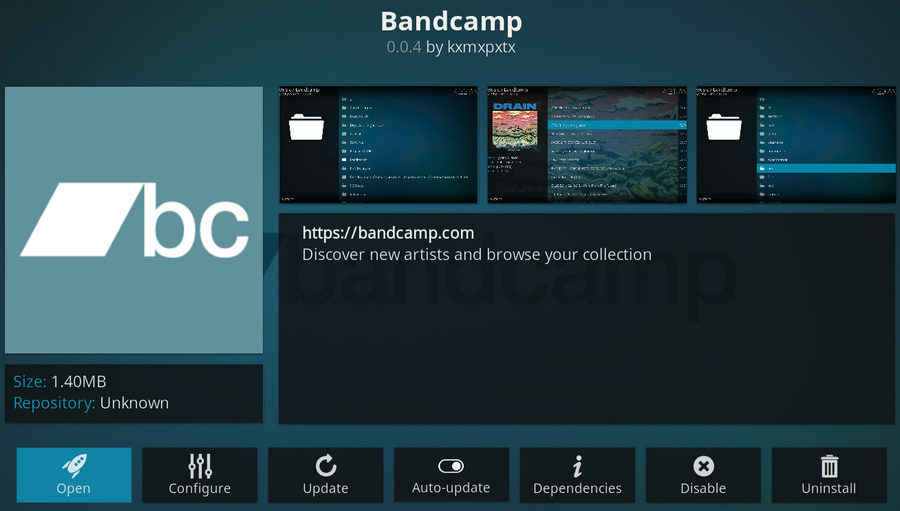
one. Bandcamp (Works on Kodi 19 and Kodi 18)
A dandy addon from the offical Kodi repository, Bandcamp is one that you don't desire to miss. Bandcamp addon offers a vast assortment of categories of music, including simply non limited to electronic, stone, metal, rap, punk, ambient, jazz, rock, acoustic, audio book. It's definitely worth a try!
Repository: Kodi Addon Repository
two. MP3 Streams (Works on Kodi 19 and Kodi xviii)
MP3 Stream, a top-notch third-political party music addon choice for years, has e'er been, and perhaps always will exist, reserved a seat on the top of most 'best Kodi music addons' listing – and it is non over-estimated only at all. MP3 Streams addon has a pretty and practical scheme, and enables you to browse, stream, shuffle play and download thousands of songs and albums from its behemothic music collection. Thru filters including Artist, Top, New, Compilations, Favourite and Search, users can effortlessly scour for content desired.
You can install MP3 Streams from a variety of working repositories these days, and I propose y'all install SGK repo for that chore, as SGK existence one of the best repositories in 2021 for music.
Repository: SGKODI REPOSITORY
Media Source URL: http://sgkodi.de/SGK-Repo/
· Kodi MP3 Streams Addon Installation Guide

three. SoundCloud (Works on Kodi 19 and Kodi eighteen)
SoundCloud is known to be an audio distribution platform and music sharing website, ane of the best gratuitous music apps on Android, and a good culling to Spotify. SoundCloud addon on Kodi, on the other manus, allows Kodi users to savor millions of worldwide songs and podcasts. Not only it'south free, it exceptionally doesn't crave any account for admission to most music on the SoundCloud website and trouble-free using experience.
Users can explore music from trending tracks, new music, top playlists, SoundCloud charts, and dozens of hundreds of categorizations. Apart from that, you lot can find most pop tracks by searching with the title of the artist, album, or playlist. Every track is tagged with thumbnail, creative person, year, genre, duration, and so you won't get confused while surfing.
Repository: Kodi Addon Repository

iv. JamBMC (Jamendo XBMC) (Works on Kodi eighteen only)
If y'all have feel in downloading royalty-gratuitous music or music licensing services monetizing, you lot must have heard of Jamendo Music, a popular music sharing platform where yous can download total album for free. JamBMC addon is the addon on Kodi for streaming a good deal of costless music and radio on the Jamendo website. It features a well-structured context card for its multi-functionality in browsing music by title/artist/album/tags, managing personal favourites in mixtapes, delivering/downloading Jamendo music at up to FLAC quality and many more than.
Repository: Kodi Addon Repository

5. Spotify (Works on Kodi 18 only)
Equally Spotify being a world-renowned premium music streaming service, Spotify addon on Kodi is a third-party developed plug-in for streaming music from user'due south Spotify account. Spotify addon serves as an easy-to-use Spotify user client on your streaming device with the back up of using your phone as a remote command, and it facilitates you in enjoying your favourite music form elevation lists, your playlist, scrobble list, and daily mixes, from Spotify'south impressive music collection that covers over fifty million tracks.
· Please note that Kodi Spotify is not an official app and information technology is not affiliated with Spotify nor stored in Kodi addon repository. You tin can detect it available from many repositories nowadays, and I suggest you install it from Marcelveldt's BETA repository.
· On the latest version of Spotify addon (which is i.5.eight), earlier using it, you take to get to the configuration menu and enter your username and password.
Repository: Marcelveldt's BETA repository Download from Github

6. Radio (Works on Kodi 19 and Kodi 18)
If yous dear listening to radios, it would exist out of touch if using all the same a radio receiver device, Radio addon here is the what you should totally accept a endeavour. Information technology helps you access 30000+ radio broadcasts, mostly English language, and German, French translated. Bated from tops stations and local stations, you can browse past genre, topic, land, city, language, and search for a specific station that you're looking for. That 1-finish radio station covers 115 genres, 59 topics, 94 countries, 1010 cities and 63 languages, I like the odds that it has the radio y'all want.
Repository: Kodi Addon Repository
· Kodi Radio Addon Installation Guide

vii. Music Box (Works on Kodi 18 simply)
If you like an addon with sleek option buttons layout and colorful icons, and then Music Box can exist a practiced pick. Music Box provides music video playlists from multiple sources, VK.com, Last.fm and 8tracks, and allows you to add songs to your favorite folder and fifty-fifty download them. Also, if you don't have an business relationship for or rather non login with any of the aforementioned websites, Music Box performs practiced flexibility in switching the media source to YouTube, bringing upwards many pages of hot music videos.
Repository: Absolut Kodi Repository
Media Source URL: http://absolut-kodi.com/repo/

8. TuneIn Radio (Works on Kodi 19 and Kodi 18)
Come and check out this one of the most famous audio streaming services in America that enjoys millions of users per month! TuneIn Radio is an addon on Kodi for listening to complimentary internet radios effectually the world from tunein.com. You can enjoy live news, radio, talk, sports, music, and podcasts co-ordinate to your tastes, and even live TV streams and radio stations of 100+ languages, which I'thou sure that virtually radio addons can't cover. Furthermore, I'm sure you'll find information technology delightful navigating through its exquisite pick push button icons.
Repository: zadarHR repo
Media Source: https://github.com/joaconigro/plugin.audio.tuneinradio

nine. YouTube Music ZD (Currently unavailable)
YouTube, a giant in video sharing, is at present full of not only trending music videos merely too endless creative artists. It tin can be difficult to imagine how many genius tracks tin can exist found on YouTube. As a YouTube-sourced addon, YouTube Music is developed past realvito ZadarTeam for the purpose of pulling the best music collection from different sources on YouTube: Beatport, Billboard, iTunes, Officialcharts, etc. and streaming on Kodi. Awesome music videos are categorized equally per source, and y'all tin search for content past the name of artist, song, album, playlist or user.
· Please note that this addon requires the use of a personal YouTube API key for operation, acquire about how to get a YouTube API key and integrate it with Kodi addons.
Repository: zadarHR repo
Media Source URL: https://zadarbuild.com.hr/repo/

x. DreamZBeats (Works on Kodi 19 and Kodi eighteen)
DreamZBeats is a video addon from Rocks Repository, a music video addon developed for offering the all-time beats on YouTube, many kinds of beats content are classified into a hybrid combination. If you lot are groovy on vigorous beats, that addon volition save your fourth dimension seeking driftlessly on YouTube. From its primary card, DreamZBeats provide a mingled listing consisted of summit music artists, music channels, DJs, Music channels, EDM channels, etc. Fourth dimension to milkshake the booty!
Repository: Rocks Repo
Media Source URL: https://world wide web.rockodi.com/

xi. Muzic (Works on Kodi 19 and Kodi xviii)
Muzic is a video addon from Butter Fingers Repository that serves mainly for wonderful music particularly those of unique genres. Alternative, blues, metal, docs, anthems, Punk, RnN, Karaoke…Anything on your mind, it'south probably here. Meanwhile, Muzic has playlists for music documentaries, Goggle box show songs, and concerts while well-nigh music addons don't. Anyway, take a wait at Muzic addon for something special.
Repository: Butter Fingers Repo
Media Source URL: http://j1wizard.internet/butter/

12. Slam Tunes (Works on Kodi 19)
Update: the programmer has decided to discontinue his repos then this addon is longer unavailable.
Slam Tunes is an addon from the Slam 19 repo. This addon enables you to browse music alphabetically or by sections which includes Stone, Metal, 80s, 90s, Classic Hits and What the FLAC.
Repository: Slamious Repo
Media Source URL: http://slamiousbuilds.com/repo

13. The Best Ultimate Music Collection (Works on Kodi eighteen only)
The Best Ultimate Music Collection from Diamond Sorcerer Repo, is a music video addon mainly for playbacking the all-time music drove from past to present. It's arguably the all-time place on Kodi for looking for old-schoolhouse classic and the favourtes of all time. This addon contains a lot of selected collections for music in the 70s, 80s, and 90s. Too, if you lot dig music concerts, yous tin can detect many here.
Repository: Diamond Wizard Repo
Media Source URL: http://diamondbuild.xyz/

14. Fido (Works on Kodi xviii only)
Fido is an all-in-1 addon that has a wide range of contents to stream, one of which is its superb music department. You can find Alive MUSIC Television set, LIVE RADIO, MUSIC Nautical chart FOR 98 COUNTRIES, CONCERTS, VEVO MUSIC VIDS, NOW THATS WHAT I CALL MUSIC, CARPOOL KARAOKE, Chrstmas Concerts/Shows in it. Some of them require the utilize of a personal YouTube API key.
Repository: Fido Repo
Media Source URL: http://fantazyrepo.uk/repo

15. MP3CO.BIZ (Not working)
MP3CO.BIZ is a uncomplicated addon from Ghost repository that provides many sorts of music in MP3 quality. Unlike many other best music addons, it doesn't accept many functions but only works as a directory to the online radios, superlative 100 music, new music, xx music genres and also a basic song search engine. Simple as it may be, but its indeed sufficient for catching upwardly the latest music, since it's a continuously maintained addon that will exist added with the latest stuff every now and then.
Repository: Ghost Repo
Media Source URL: http://ghost-repo.de/

xvi. World of Sounds (Non working)
A masterpiece from Ghost repository adult by Team Ghost, World of Sounds is a mixtape of practically any kinds of sounds you can think of: 24/7 continuous music streams, Now That's What I Call Music! Twitch Radio, a wide coverage of radio stations, Karaoke music, etc. The music search on World of Sounds applies to YouTube, Deezer, and TuneIn, which is equally big a database as an addon can get to.
What'southward more, Earth of Sounds supports paring with popular premium music services including Spotify, Deezer, MusicAll, TuneIn Radio, radio.internet, Simple Radio, Tidal, etc. and that makes information technology, I suppose, a must-have for every music enthusiast that uses Kodi.
Repository: Ghost Repo
Media Source URL: http://ghost-repo.de/

Office 2. How to Install Best Music Addons on Kodi
· This installation guide applies to third-party addons, for addons in official Kodi addon repository, you can download and install them from: Chief menu > Add together-ons > Download > Video Addons > Locate and click on the desired addon > Click Install
· To install third-party addons, since Kodi prohibits the installation of third-party addons/repos past default for security issues, nosotros need to fix Kodi to allow installation from unknown sourcesbefore installing any addons.
· Skip Step 2-6 if you have already downloaded the goose egg file for the desired addon.
Step ane. Launch Kodi, from the main carte, click gear icon from the upper side of the left panel. Click on Organisation > Go to Add together-ons tab > enable Unknown sources .
Step 2. Get back to System menu, click on the File manager module from the upper-left side.
Footstep iii. Double-click on the Add source bar on the left side.
Step 4. Click on <None>.
Step 5. Copy and paste or type in the desired repo's Media Source URL correctly to the popup location box, then click OK.
Step 6. Enter a name for the added media source in the lower box. Then click OK.
Step 7. Get back to the main menu and click Add-ons from the left panel.
Footstep 8. Click on the box icon from upper side of the left console.
Step 9. Click on Install from zip file.
Stride ten. Click on the media source we but added to Kodi.
Footstep 11. Usually there's a .zip file within, click on information technology to install the music addon repository.
Step 12. Wait until you tin see a message pops up on the upper-right side saying Improver installed. Then click Install from repository to add addon from repository.
Step thirteen. Open the repository you lot only installed.
Step 14. Click Music addons, and in some cases Video addons.
Step fifteen. Select the desired music addon inside, then click Install. Click OK to install additional dependencies when a dialog pops up. After a few seconds, the addon will be installed with a notification message pops upwardly on the upper-right side.
Bonus Tip: How to Fast Download Music to Calculator
Many music loves prefer to download music offline for convenient playback and collection purposes. Next, I'll demonstrate how to use Hard disk drive Video Converter Factory, a clean and fast downloader programme to download a playlist of music videos.
Step ane: Gratis downloadFree download the Downloader software and install it on your PC. And then launch the software and open up the Downloader module.
Step 2: Open your web browser and find the music playlist you want to download, then copy its URL from the address bar.
Stride three: Go back to the downloader software and click the New Download button. Then click Paste and analyze.

Step 4: Subsequently the URL'due south analyzed, all files in the playlist will be selected automatically. You can unselect the ones you don't want to download.
Step five: Click the Ok button at the bottom. At last, click the Download All push to brainstorm the music playlist download.
Wrap-up.
That'll be all my recommendations on best music addons on Kodi in 2021, relish your music! For new Kodi users, the posts tagged in beneath may exist actually helpful. As well, if you have questions or further issues on installing or using Kodi addons, check out the FAQ department below to find possible solutions, and always feel free to reach me by clicking on my name from the top of the page, right side by side to my avatar. Accept a good ane!
Withal don't know how to install addons? Illustrated guide on How to add addons to Kodi
Recommended addons are suggested to use on the latest Kodi leia. Larn how to update Kodi on: Windows | Fire Tv Stick
Additional Reading: Kodi FAQs
· What Is Kodi?
A: Kodi is a free and open-source media player software awarding developed past the XBMC Foundation. Kodi features a sleek option buttons layout, easy to navigate GUI (Graphical User Interface), wide scope of video format supported, and smoothen video playback performance and the specialty in serving as a media library for Kodi users to manage their media collection. The best part of Kodi is that the numerous versatile Kodi addons that capture online media streams, to provide users with gorgeous audiovisual content without cost.
· Is Kodi Legal?
Kodi is legal, using Kodi is legal, and using Kodi addons is too legal. Certain contents on Kodi addons, even so, could be illicit when you stream them. So that we advise you stream contents under the public domains only.
· What Are Kodi Addons? Why Do I Need Addons for Kodi?
A: For those who don't know, the official Kodi version doesn't provide whatsoever content any. Unofficial Kodi versions, however, are not recommended to use since they might bring you malware and other risks. To explore the full potential of Kodi on the official version, installing addons for Kodi is an essential procedure. Kodi addons will pull media resources from network streams to create a free connection between Kodi and online media resources, thus we Kodi users get to enjoy free movies, alive Tv, alive sports, TV shows, etc. without cost.
· What Are Kodi Repositories?
A: Kodi repositories, Kodi repos in abbreviation, are containers like addon bundles that contain a set of featured addons. By installing a Kodi repository instead of individual Addons, the Addons are automatically updated when a new version is released. Kodi repositories come in the form of ZIP files or a source URL, and adding addons to Kodi is often based on the repo's installation.
· Tin't sympathise the language of Kodi interface, or prefer another language instead of the default English?
A: Here you tin learn how to alter language in Kodi and then that you tin can sympathize.
· I have some private media folders and addons that I don't desire to be attainable past others, is there whatever way that I can encrypt Kodi?
A: Yeah, here you tin learn how to set a password for Kodi to protect your privacy.<
· What is the best maintenance addon on Kodi and how to install information technology?
A: Ares wizard is our highly recommended tool for Kodi maintenance, backup, tweaks. And it's perfectly working right at present. Here you can learn how to install Ares Wizard for Kodi maintenance.
· My Kodi buffers a LOT during video playback, any fixes?
A: If there'southward null incorrect with your network connection and bandwidth, and you're in no reason to be throttled by your Internet service provider, so Kodi buffering can very likely exist boiled down to heavy enshroud. For smoothen viewing enjoyment, learn how to articulate Kodi cache in the simplest manner, and this is also a possible set up to Failed to Install a Dependency Kodi issue.
· I received a message maxim: "Couldn't think directory information. This could be due to the network not being connected. Would you similar to add it anyway?" when calculation media source to Kodi, what gives?
A: The cause of that issue varies, here y'all can learn about some possible fixes for "Kodi unable to connect" mistake.
· Some of my Kodi addons are not working, how to remove them to free up my storage infinite?
A: The original repository or media source of installed addons will become blocked or shut down - happens all the time. To slim your Kodi, you should learn how to remove unnecessary and invalid addons.
· I in one case lost everything in my Kodi, don't desire that happen once again, any suggestion?
A: During the apply of Kodi, we will inevitably encounter a system crash or hardware failure and demand to reinstall the organization or Kodi. To avoid the loss of previously installed Kodi addons, customized settings and configuration, here's a peachy post for you to acquire how to backup and restore Kodi.
· I've found a great addon on Github but I don't take its media source URL, how tin I install information technology on Kodi from Github direct?
A: There's a practical addon called Git Browser that was developed for that, learn how to install Git Browser on Kodi.
· Suffering from playback issues similar video buffering/stuttering, video can't play, video no sound, weird color brandish, etc. on Kodi default video player.
A: Find Kodi default media player somewhat unsatisfactory? Kodi can perfectly support almost any video player program equally its external actor, and adopting an external player for Kodi won't lose the marks on videos like "watched". Acquire from this guide on how to adopt an external media role player for Kodi.
· I've encountered an error message saying "Cheque the log for more information" and I have no idea what's going on, what should I do?
A: That error occurs all the time when we use Kodi. Kodi log file can be used to analyze and discover the problem for experienced users; and tin can also be uploaded to the Kodi official forum for help as required for full general users, so every bit to facilitate those people or experts to locate specific error information and offering the most practical and accurate solution. On this page you'll acquire how to check Kodi mistake log file on whatever device.
Highly Recommended All-in-one Video/Sound Processing Software
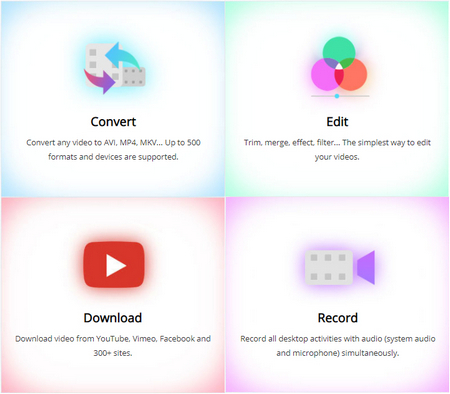
Your Ultimate One-cease Multimedia Solution
• Fast and batch conversion with hardware acceleration
• 500+ input and output formats supported
• Excerpt music from videos with 0 quality loss
• Downloader for music, MV and playlists, 300+ websites supported
• User-friendly interface, piece of cake to use for all-level users


DOWNLOAD HERE
Posted by: davisjohne1944.blogspot.com


0 Komentar
Post a Comment